Over the past few years I have been building AI applications, and every one I host ended up on the same database, PostgreSQL. Not because I planned it. Because each application's requirements walked there on their own.
Where I started: a database is just a file
My first tools ran on SQLite. If you've never met it: SQLite is a complete database that lives in a single file on your disk. No server, no installation, no password. You open the file, you have a database. You have already used it today without knowing: it sits inside every iPhone and Android phone, every Mac and Windows installation, and every Chrome, Firefox and Safari browser, keeping their settings, history and messages. By its makers' estimate there are more than a trillion SQLite databases in use.
That is exactly the right size for a tool one person uses on one machine. My early desktop tools ran that way: the database was a file beside the documents it described. Nothing about those tools needed more, and adding more would only have added something to break.
The lesson from that era was mostly about fear: a database is not a big deal. Start with the file.
Five scenarios that pointed at Postgres
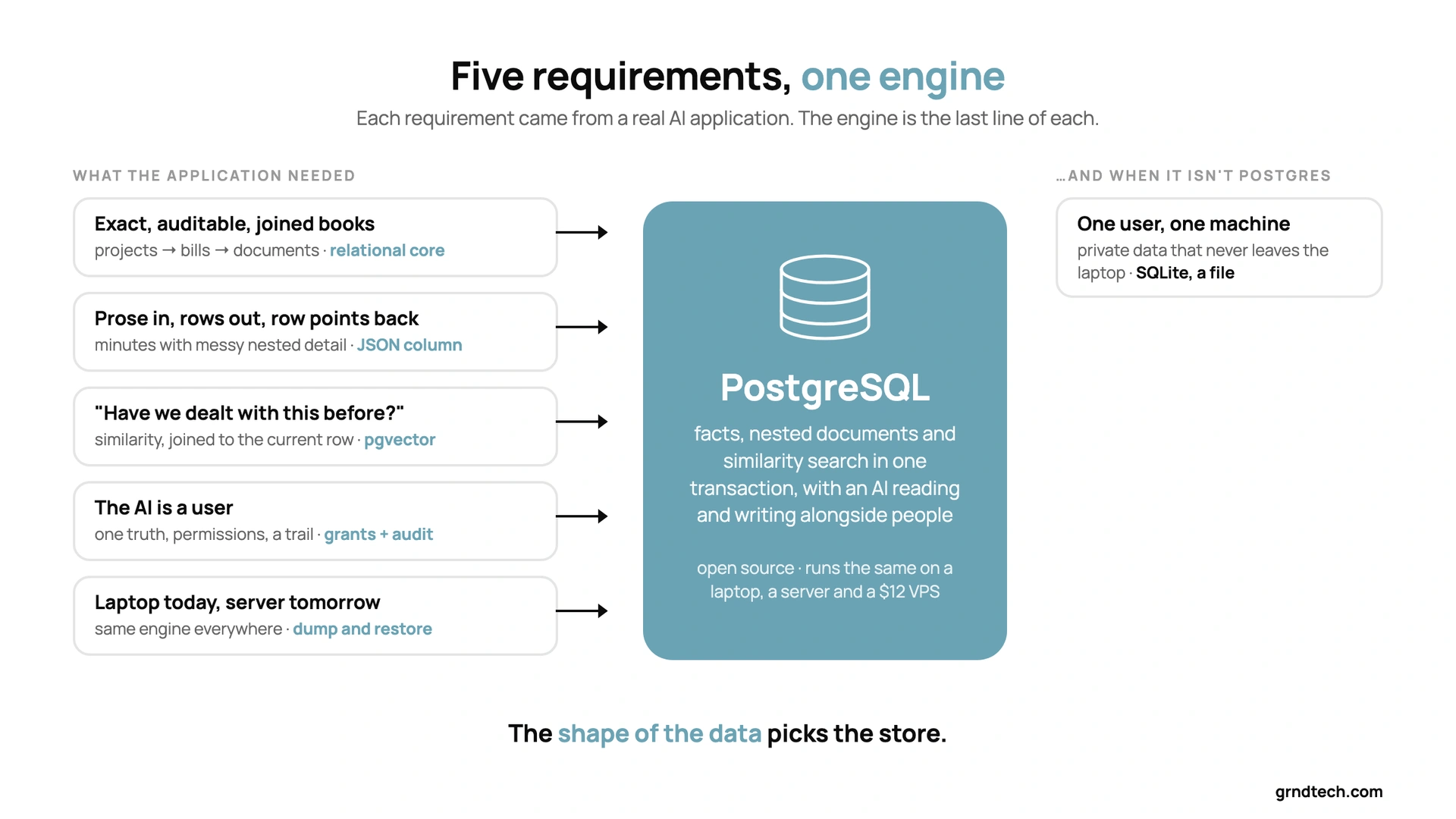
Here is the part that actually decided things. Each scenario is a real requirement from a real application; the technology is the last sentence of each.
1. The books must be exact, auditable and joined. A project helping a design studio with its invoicing and proposals: projects, bills, documents, payment schedules. A bill belongs to a project; a document belongs to a bill; nothing may be half-saved. This is the classic case for a relational database — transactions, constraints, one write path — and every serious relational database does it. Postgres does it with a reputation for never losing data, which for money is the only feature that matters.
2. Prose comes in, rows come out — and the row must point back. Meeting minutes are prose. The actions inside them are rows. The action has to link back to the minute it came from, and the minute has messy nested detail — attendees, sub-items, attachments — that a flat table mangles. I wanted the tidy rows and the messy nested bundle in the same place. Postgres holds a nested JSON record inside an ordinary table column and lets you query into it. That removed a second system from the design before it existed.
3. "Have we dealt with this before?" Past decisions, project questions, notes: the question is similarity, not facts. That's vector search, and the hype says it needs its own vector database. It doesn't — and a separate one would drift from the facts it's supposed to describe. Postgres has an extension, pgvector, that stores the vectors next to the rows, so one query can join "similar to this" with "current status is". In my AI-assisted applications this is the feature that made the AI useful rather than merely fluent: it finds the similar item, then reads its real, current row.
4. The AI is a user. In my hosted applications an AI agent reads and writes the same records the humans do — drafting a report from field data, adjusting a schedule. That means one source of truth, per-user permissions the agent is bound by, and a timestamped trail of what it changed. Those are ordinary database features, but they had to exist in one engine, not stitched across three services.
5. Development and production live on different machines. A typical setup: the application is developed on a laptop and runs in production on a small virtual server. Same application, same schema, different machines — and moving between them should be a dump and a restore, not a project. Postgres runs identically on a laptop, a server and a twelve-dollar VPS, which turns "how do I move this?" into a non-question.
Read those five again and notice what they have in common: facts, nested documents and similarity search in one transaction, with an AI reading and writing alongside people. That combination is the defining requirement of an AI-assisted application, and Postgres is the boring engine that meets all of it without a second system.
Why the AI companies landed in the same place
This isn't a private preference. The organisations building AI products at scale keep converging on the same engine, for the same reasons.
- OpenAI runs the databases behind ChatGPT and its API platform on PostgreSQL — a single primary with nearly fifty read replicas, deliberately not sharded, serving millions of queries per second. Its engineers presented "Scaling Postgres to the next level at OpenAI" at PGConf.dev in May 2025 and published the details in January 2026.
- Notion has run on sharded PostgreSQL since 2021 — 480 logical shards, spread across 96 database instances since a 2023 re-shard with no user-visible downtime — and has written about both moves publicly.
- Databricks agreed to acquire Neon, a serverless-Postgres company, in May 2025 (about $1 billion, per press reports; the price was not officially disclosed). The detail that matters here: Neon reported that over 80 percent of the databases provisioned on its platform were being created by AI agents, not people — the agents needed a database that appears in under half a second, and they reached for Postgres.
- pgvector ships on every major cloud's managed Postgres — Amazon RDS and Aurora, Microsoft's managed Postgres, Google Cloud SQL and AlloyDB — and Supabase, the backend under a generation of AI apps (Lovable's built-in backend is Supabase; Replit provisions Postgres for its apps), is plain Postgres underneath: "We do not abstract the Postgres database."
In application terms, the reason is the one above: an AI product needs facts, documents and similarity in one place, and it needs cheap, disposable databases spun up fast. One engine does both. The rest of the industry didn't choose Postgres because it's fashionable; it chose it because the alternative is three systems that drift.
What this means if you'll never run Postgres
Most readers won't install a database, and shouldn't have to. The useful takeaway is a recognition test:
If your application — or your project — needs exact facts + messy documents + "find me something similar" + an AI that reads and writes, you need one system of record, not three tools and a colour code. In Microsoft 365 terms that's a list, a document library and Copilot pointed at both. When you outgrow that, you now know where it goes and why — and the AI can operate it for you in plain language.