Your Organization’s IT Environment Doesn’t Care About Your Demo
Here’s what gets skipped in every AI demo: the infrastructure question. If your company runs on the Microsoft stack — Office 365, SharePoint, Azure — an AI solution built on a different cloud vendor isn’t getting deployed. If your core business data lives in Oracle, connecting that database to an external LLM API is a non-trivial exercise in politics as much as engineering.
This is where most AI app building platforms fall apart before they start. You’re building on their infrastructure, not yours. Most organizations won’t bring a third-party-hosted application into their environment due to vendor incompatibility, security policies, and data governance constraints. The quality of the app is irrelevant if it can’t integrate with the tech stack your organization already runs.
The Distance Between a Working App and a Working Solution
A demo that runs is not the same as a solution that reliably delivers usable output. AI app demos look impressive, but production use reveals why enterprise software — the kind that looks outdated and cluttered — has all those menus and configuration options. Each one represents a lesson learned from real operations: edge cases, compliance rules, error recovery, permission structures, audit requirements. Start adding those features to your AI prototype and it quickly resembles the software you were trying to replace, often with a worse user experience.
Then there’s the constraint of “no code required.” For professionals outside software development, this is a genuine advantage — it lowers the barrier to entry. But it also caps what you can build. Your application becomes bound by pre-defined modules, limited deployment targets, platform-dependent maintenance, and uncertain long-term viability. Specialized business requirements routinely exceed what those modules can accommodate. And if the platform changes its pricing, its terms, or shuts down entirely, your solution goes with it.
The security dimension compounds the problem. Research has shown that a meaningful percentage of applications generated by AI building platforms contain vulnerabilities — exposed user data, missing access controls, absent input validation, no encryption, no audit logging. For any application touching client records, financial data, or internal operational information, these aren’t acceptable gaps.
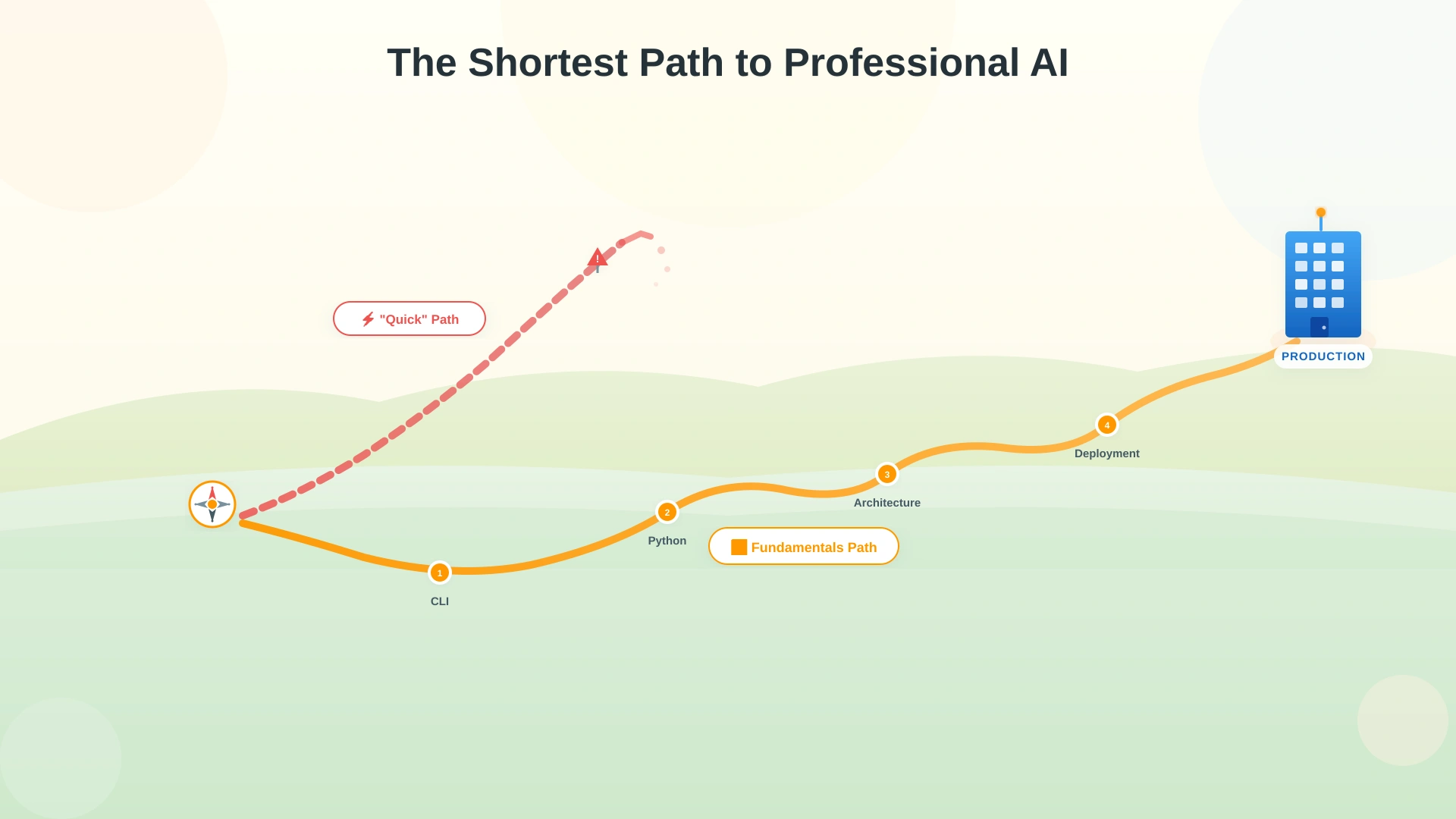
Learning the Fundamentals Is the Fastest Route to Production
No-code platforms have their place for validating ideas and building quick prototypes. But deploying AI solutions into a corporate environment demands foundational knowledge. Here’s the minimum checklist for professionals serious about making it happen.
Coding basics. You don’t need a computer science degree. An introductory Python course of 4–8 hours gives you enough to follow what’s happening and make informed decisions. The point isn’t mastery — it’s independence from platforms you can’t control. Learn the rest as you go; AI models are effective teachers for incremental learning.
Frontend, backend, and database. These three components make up most software solutions. You don’t need to match an experienced developer’s depth. You need enough understanding to discuss system architecture with an AI coding assistant and make sound decisions. Logical thinking and common sense carry you further than you’d expect through the Minimum Viable Product stage.
Deployment and hosting. Your solution needs to be accessible to the people who will use it. The guiding principle: match your company’s existing infrastructure vendor. For many organizations, that’s Microsoft — which means your AI solution can leverage the same identity management, storage, and security policies already in place, with significantly less integration friction.
Command Line Interface (CLI) and development environment. The terminal intimidates most professionals who didn’t grow up writing code. No buttons, no menus — just text commands and plain output. But CLI persists in professional development for one reason: it imposes no limits. You can direct the machine to do anything, unconstrained by the options someone else decided to put in a graphical interface. Give it a couple of weeks. The discomfort passes. The capability doesn’t.
No-code AI building platforms exist to spare you from everything above. But what looks like the shortcut usually proves to be the longest route when the goal is a solution that works in a real professional environment. The fundamentals give you something no platform can: control over your code, your data, your infrastructure, and your trajectory.